Podcast Production Equipment: Building a Setup That Scales
Most podcast production equipment gets replaced within two years, and almost none of it needed replacing. The pattern is always the same. Someone buys a four-input interface for a solo show, then buys a second one when a co-host joins, then sells both when the show adds cameras.
A setup scales when adding a seat, a camera, or a remote guest costs one purchase instead of a rebuild. That depends less on what you buy and more on the order you buy it in.
Key takeaways
- Microphones outlive everything else in the rack. Buy the mic for the room you have, not the room you want.
- Channel count is the real scaling limit. A two-input interface caps your show at two people forever.
- Apple Podcasts asks for -16 dB LKFS with a plus or minus 1 dB tolerance and true peak no higher than -1 dB FS. Your finishing chain exists to hit that number.
- Video is no longer optional for most formats, and Edison Research now finds weekly podcast listeners about as likely to watch as to listen.
- Rent the gear you use twice a year. Buy the gear you use every week.
- Buy podcast production equipment in this order and nothing goes to waste: mic, interface, headphones, treatment, camera, lights.
What “scales” means when you buy podcast production equipment
Scalable podcast production equipment adds capacity without replacing what you already own.
Three questions separate gear that grows with a show from gear that becomes dead weight:
- Does it add channels? A four-input mixer supports one guest today and three later. A two-input interface never will.
- Does it change connector standards? XLR microphones plug into anything with a preamp. USB microphones plug into a computer and nothing else.
- Does it survive a format change? A boom arm and a dynamic mic work equally well for audio-only and for a four-camera video shoot. A USB podcasting bundle does not.
Buying against those three questions is slower at the start and much cheaper by episode 30.
The four stages of a podcast production kit
Every podcast production kit moves through four stages, and each one has a predictable breaking point. Knowing which stage you are in tells you which piece of podcast production equipment to buy next.
| Stage | What you can produce | Core gear | What breaks first |
|---|---|---|---|
| Solo | One host, one room, audio only | One dynamic mic, boom arm, headphones, laptop | The moment a guest arrives |
| Two seat | Host plus in-studio guest | Two mics, four-input mixer, two headphone feeds | Adding a third voice |
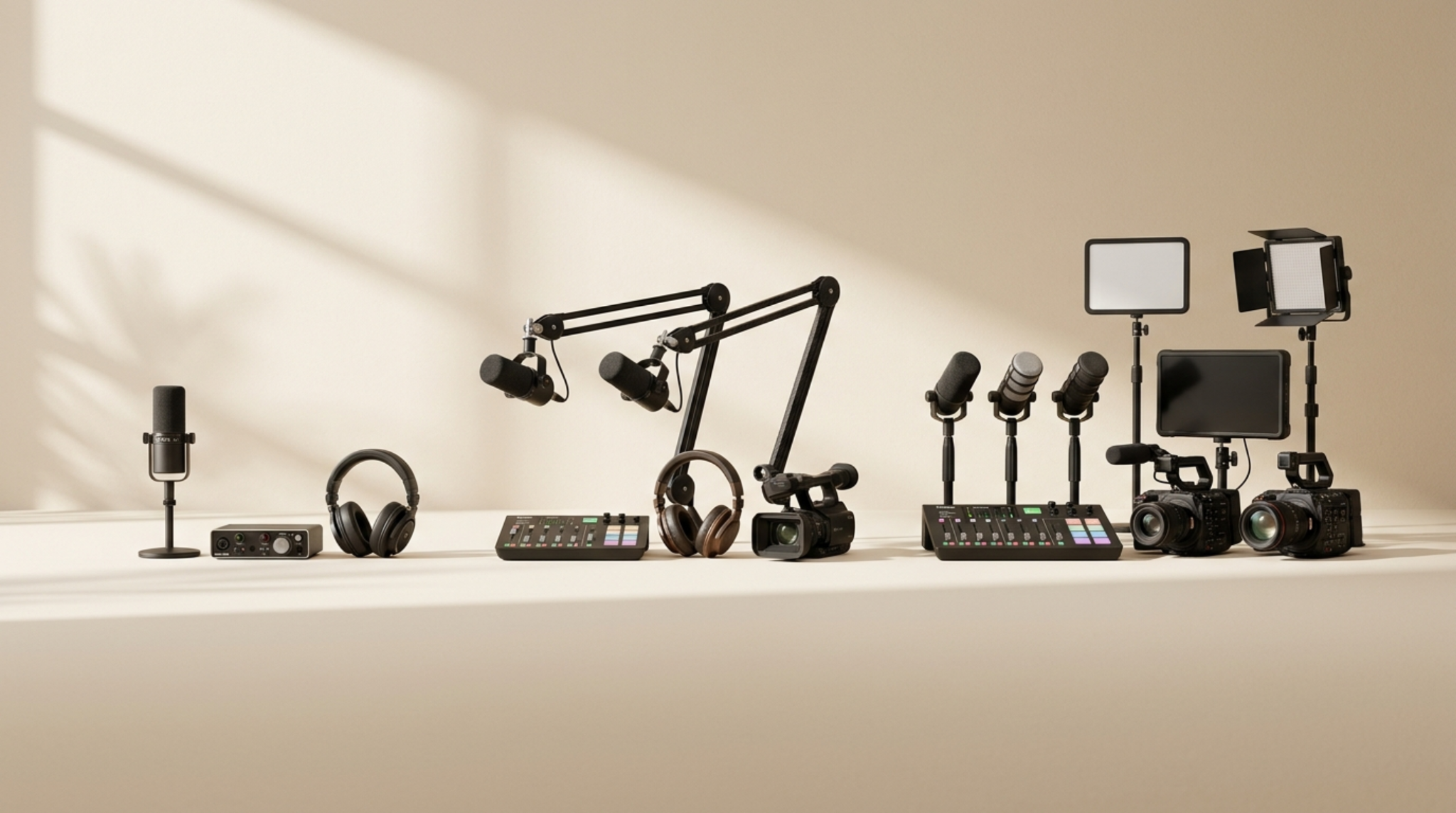
| Studio | Three to four voices, one camera | Four mics, mixer, camera, key light, backdrop | Multi-angle editing and color |
| Multi-camera | Three or more angles, live audience | Multiple bodies, lav or wireless mics, full lighting, recorder | Post workload, not gear |
Notice where the last row breaks. Once your podcast production equipment reaches multi-camera capability, the constraint moves out of the equipment list and into editing hours. Buying a fifth camera at that point solves nothing.
Microphones outlive everything else you buy
Podcast audio production quality is decided at the microphone, and almost nothing downstream fixes a bad choice there.
Microphones are the one category of podcast production equipment that rarely gets replaced, so the decision deserves more thought than the rest of the list combined. The room matters more than the price tag. Untreated rooms with hard floors and bare walls need microphones that reject everything except the voice directly in front of them.
Dynamic versus condenser
| Dynamic | Condenser | |
|---|---|---|
| Room tolerance | High, rejects reflections | Low, captures everything |
| Detail | Warm, focused on close voice | Bright, more air and top end |
| Best for | Untreated rooms, multiple people at one table | Treated booths, single narrator |
| Handling noise | Low with a shock mount | Higher |
| Gain needed | More, some need a preamp boost | Less |
For nearly every podcast recorded in a normal room, a dynamic mic is the right call. The RØDE PodMic with stand and XLR cable is a common starting point because it arrives as a working chain rather than three separate purchases you have to match yourself.
XLR versus USB
USB microphones are cheaper on day one and more expensive by month six. They cannot be summed into a mixer, they cannot be recorded to separate tracks by a hardware recorder, and two of them on one computer creates sync problems that eat editing time.
XLR keeps every future path open, since mixers, field recorders, interfaces, and mobile rigs all speak it. That single connector choice determines whether the rest of your podcast production equipment can talk to each other.
The podcast production mixer sits at the center of everything
A podcast production mixer decides how many people can be in the room and how repairable the recording is afterward.
Two features matter more than any others:
- Input count. Four inputs cover a host and three guests, which covers the overwhelming majority of interview formats.
- Multitrack recording. Recording each mic to its own track means one loud guest is a five-minute fix rather than a lost episode.
The RØDECaster Pro II handles both, plus individual headphone levels per seat and onboard processing that reduces how much cleanup reaches the edit. Onboard processing is worth understanding before you rely on it, because compression and gating baked into a recording cannot be undone later. Record clean tracks, process afterward.
A mixer is also the one piece of podcast production equipment that removes a computer from the recording path. Shows that record straight to an SD card lose fewer episodes than shows that depend on a laptop staying awake for 90 minutes.
Monitoring: the least exciting purchase that saves the most episodes
Nobody hears a problem they are not monitoring.
Closed-back headphones on every seat let the engineer catch a dying battery, a fan hum, or a guest drifting off-axis while it is still fixable. Open-back headphones bleed into microphones and are the wrong tool at a podcast table.
- Every seat needs a feed, not just the host
- Closed-back only, so nothing leaks back into the mics
- One reference pair kept aside for the person doing the mix
- No shared pairs, since passing headphones around costs more than buying a fourth set
Wired studio monitoring headphones are the standard here, because Bluetooth introduces latency that makes hearing yourself impossible.
Recording outside the studio
Podcasts that leave the studio need a wireless kit, not a longer cable.
Location interviews, conference recordings, and walk-and-talk segments all need microphones attached to the person rather than the desk. The RØDE Wireless PRO covers this with dual transmitters, onboard 32-bit float recording, and timecode, which matters more than it sounds: 32-bit float means a sudden loud moment does not clip, and timecode means multi-camera footage lines up without manual sync.
That single purchase turns a fixed studio rig into a mobile one, which is the clearest example of podcast production equipment that scales rather than duplicates.
Podcast video production without wrecking the audio
Podcast video production fails most often at the audio stage, because cameras record sound badly and people trust them anyway.
Camera audio is a sync reference. The usable recording lives on the mixer or the recorder, so the camera should never be asked to carry the sound. Every video setup should treat the two as separate deliverables.
For the picture itself:
- One camera, locked off. A wide two-shot is enough to publish. Start here.
- Two cameras. A wide plus a single close-up gives editors a cut point and doubles perceived production value.
- Three or more. Only worth it once someone is being paid to edit multi-angle footage every week.
A compact body like the Sony ZV-E10 covers the first two stages, and adding a second identical body later keeps color matching simple. Mixing camera brands is where color grading time quietly doubles.
Lighting is where cheap video announces itself. One controlled key source beats three uncontrolled ones, and a bi-color panel such as the Amaran 200x lets you match daylight from a window instead of fighting it. Set your key, then add a background light only if the frame looks flat.
Export targets are published rather than guessed. YouTube’s upload encoding guidelines recommend roughly 8 Mbps for 1080p at 30fps and 12 Mbps at 60fps, with AAC-LC audio at 48 kHz. Matching those numbers avoids a second round of compression damage on upload.
Podcast post production software and the finishing chain
Podcast post production is where a mediocre recording becomes acceptable and a good recording becomes finished.
This is also the stage where podcast production equipment stops mattering and process takes over. The chain is short and rarely changes:
1. Assemble. Cut the conversation, remove dead air and false starts.
2. Clean. Noise reduction, de-essing, mouth click removal.
3. Level. Match every speaker to within a couple of dB of each other.
4. Master. Set integrated loudness and cap true peak.
5. Export. One locked preset, used for every episode.
Step four is the one people skip. Apple Podcasts recommends an overall loudness around -16 dB LKFS with a plus or minus 1 dB tolerance and a true-peak value that does not exceed -1 dB FS. That measurement is defined by ITU-R BS.1770, the recommendation every loudness meter in every editor implements.
Podcast post production software falls into three groups:
| Type | Examples of what it does | Strength | Limitation |
|---|---|---|---|
| Full DAW | Multitrack editing, plugins, precise automation | Total control | Slow for talk content |
| Text-based editor | Edits audio by editing a transcript | Fast on interviews | Less control over mixing |
| Automated mastering | Loudness, leveling, noise removal in one pass | Consistency across episodes | Cannot fix structural problems |
Most teams end up using two of the three. A text-based editor for the assembly, an automated pass for loudness, and a DAW only when something needs real repair.
Video podcast production software is a separate decision. Multi-angle projects need an editor with multicam sync and proper color tools, and choosing video podcast production software that cannot read your camera’s codec natively adds a transcode step to every single episode. Check codec support before committing, not after.
Podcast creation platforms and what they do not cover
Podcast creation platforms handle hosting, RSS, and distribution. They do not handle production.
What they give you:
- An RSS feed that Apple, Spotify, and YouTube can read
- Storage and bandwidth for episode files
- Download and listener analytics
- Distribution to directories from one upload
What they do not give you is a usable recording, and no hosting plan compensates for a weak one. Platforms accept whatever file you send. Choosing between podcast creation platforms is worth an afternoon, and the criteria that actually differ between them are analytics depth, dynamic ad insertion, and whether you keep ownership of your feed if you leave.
Buy, rent, or run both
Buy what you use weekly. Rent what a format needs occasionally.
Podcast production equipment splits cleanly along that line. Microphones, a mixer, and headphones earn their cost within a few months of weekly recording. A second camera body for a quarterly live episode does not. Neither does a full lighting package for a one-off shoot.
Renting also removes the worst risk in gear buying, which is committing to a format before you know it works. Two episodes shot with rented cameras will tell you whether your audience watches or listens, and that answer decides several thousand dollars of future spending.
At Mastermind CC we rent production gear by the day to Lagos shows doing exactly that: testing a two-camera format, covering a live event, or filling a gap while owned kit is out on another shoot. Teams that would rather hand the whole thing over can bring us the format and we supply crew, gear, and the finished episode.
The upgrade order that wastes the least money
Buy podcast production equipment in this sequence and nothing you own becomes redundant.
| Priority | Purchase | Why it comes here |
|---|---|---|
| 1 | Dynamic XLR microphone and boom arm | Sets the ceiling for everything downstream |
| 2 | Four-input mixer with multitrack recording | Adds seats without a second purchase |
| 3 | Closed-back headphones for every seat | Problems you cannot hear become problems you cannot fix |
| 4 | Basic room treatment | Cheaper than any microphone that promises to solve the same thing |
| 5 | One camera | Only after the audio chain is finished |
| 6 | One key light | A controlled source beats a better camera |
| 7 | Second camera, matched body | Now the edit can cut, and color still matches |
Skipping straight to step five is the most common mistake we see. It produces shows that look acceptable and sound like a phone call, and listeners forgive the first far more readily than the second.
Where to start this week
Pick the format you will still be producing in six months, then buy only the first three rows of the podcast production equipment table above. Record four episodes. The gaps you feel by episode four will tell you what row four should be, and that answer is more reliable than any spec sheet.
If you would rather test a format before committing budget to it, send us the show concept and we will put together the rental list or the full production quote.
Frequently asked questions
What is the minimum podcast production equipment for a first episode?
One dynamic XLR microphone, a boom arm, an interface or mixer with a headphone output, and closed-back headphones. That chain records a publishable episode and none of it becomes redundant when the show grows.
Do I need a mixer if I record solo?
Not strictly, but a four-input podcast production mixer costs less than buying a two-input interface now and replacing it when a co-host arrives. Multitrack recording is the feature worth paying for.
How much of podcast audio production can software fix?
Background noise, uneven levels, and mild room echo respond well to modern tools. Clipping, heavy room reverb, and a mic placed too far from the mouth do not. Fix those at the source.
What loudness should I export at?
Target -16 LUFS integrated with true peak at -1 dBTP. That satisfies Apple’s published recommendation and travels acceptably to every other platform, since louder services normalize your file down rather than reject it.
Is video worth the extra equipment?
For interview and commentary formats, usually yes. Edison Research’s Podcast Consumer 2026 found weekly podcast consumers about as likely to watch as to listen, which changes the return on a camera purchase considerably.
Which podcast post production software should a beginner start with?
A text-based editor for assembly plus an automated loudness pass covers most weekly talk shows. Move to a full DAW only when you regularly need repair work that automation cannot handle.
Can I use my phone as a starting point?
For a pilot episode, yes. For anything ongoing, no. Phone microphones are omnidirectional and pick up the room, which is the one problem no amount of podcast post production fixes.
Should I buy a podcast production kit bundle or assemble parts?
Bundles are good value when they contain a mic, arm, and cable that were designed together, since matched components save you an afternoon of checking impedance and connector types. They stop being good value when they include a USB-only interface, because that component caps your channel count from the start.